Using the Arizona State Capitol's RTS System
The Arizona State Capitol's Request-to-Speak system, also known as RTS, is a public tool with many uses.
Through this system, you can track the status of bills, signal your opposition or support for legislation, and more. During the Legislative Session, ArMA mobilizes its members by asking them to sign on to RTS in support of or opposition to crucial pieces of legislation.
Creating and Enabling an RTS Account
To signal your position on a bill in RTS, you must first create and enable an account. While accounts can be created from anywhere in the world, they must be enabled by logging in at the Arizona State Capitol or on an associated campus.
To make this process more accessible, ArMA's staff collects members' information and enables RTS accounts at the capitol, so you don't have to. If you'd like our staff to create and enable an account for you, please fill out this form.
Signaling Your Position for Bills on an Agenda
Once you have an active RTS account, you can let legislators know where you stand on bills moving through the legislative process. Follow these steps to signal your position on a bill that is currently on an agenda.
If you cannot locate the bill, it is likely because it is not currently on a committee agenda. While you cannot submit a 'Request to Speak' on bills not assigned to an agenda, you can still signal your position. Scroll down to the next section to learn how.
Step 1: Logging Into RTS
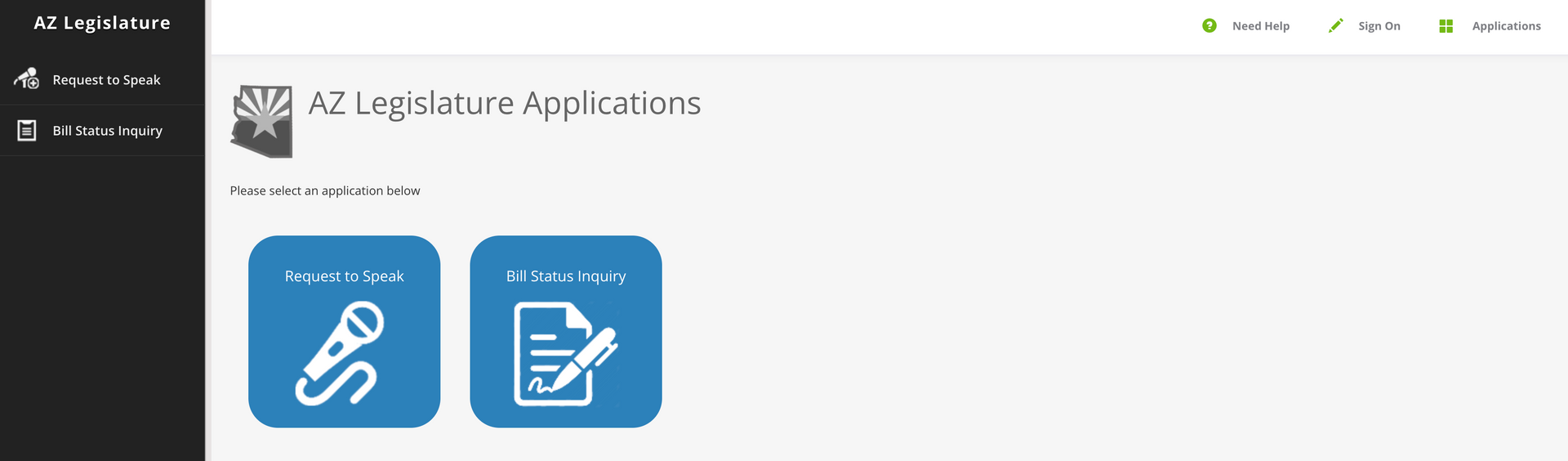
→ Once you enter the RTS portal, you will be brought to the screen shown above.
→ Click "Sign On" in the upper right-hand corner to log in.
Step 2: Sign In to Your Account
→ Enter your login credentials to access your RTS account.
→ If you do not have an activated account, refer to the section above for instructions on how to create and enable one.
Step 3: Starting a Request
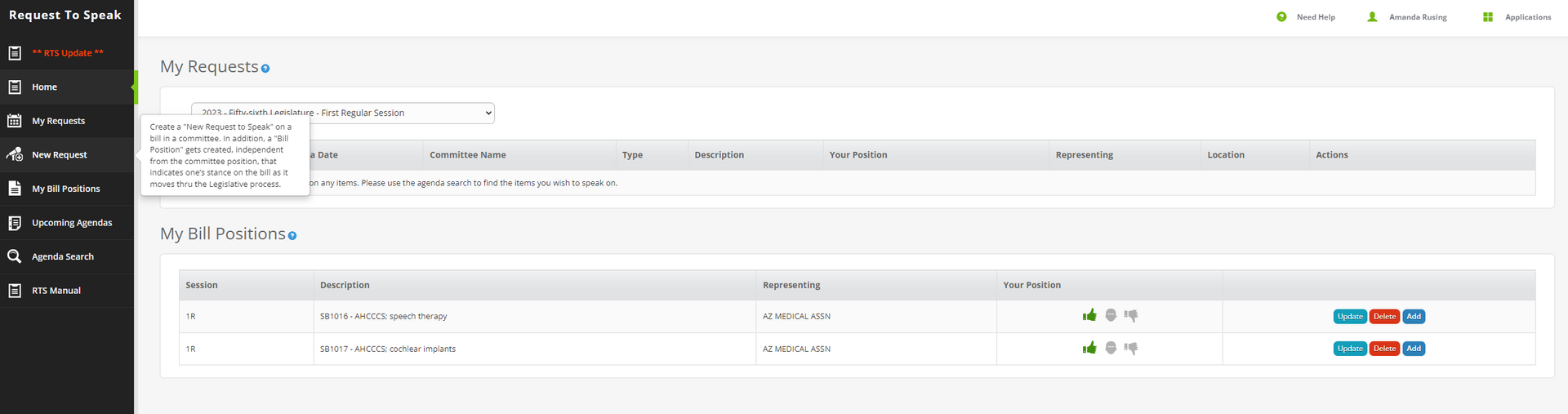
→ Click "New Request" on the left-hand tool bar.
→ You can add a position on any bill that is currently on an agenda.
Step 4: Locating the Bill
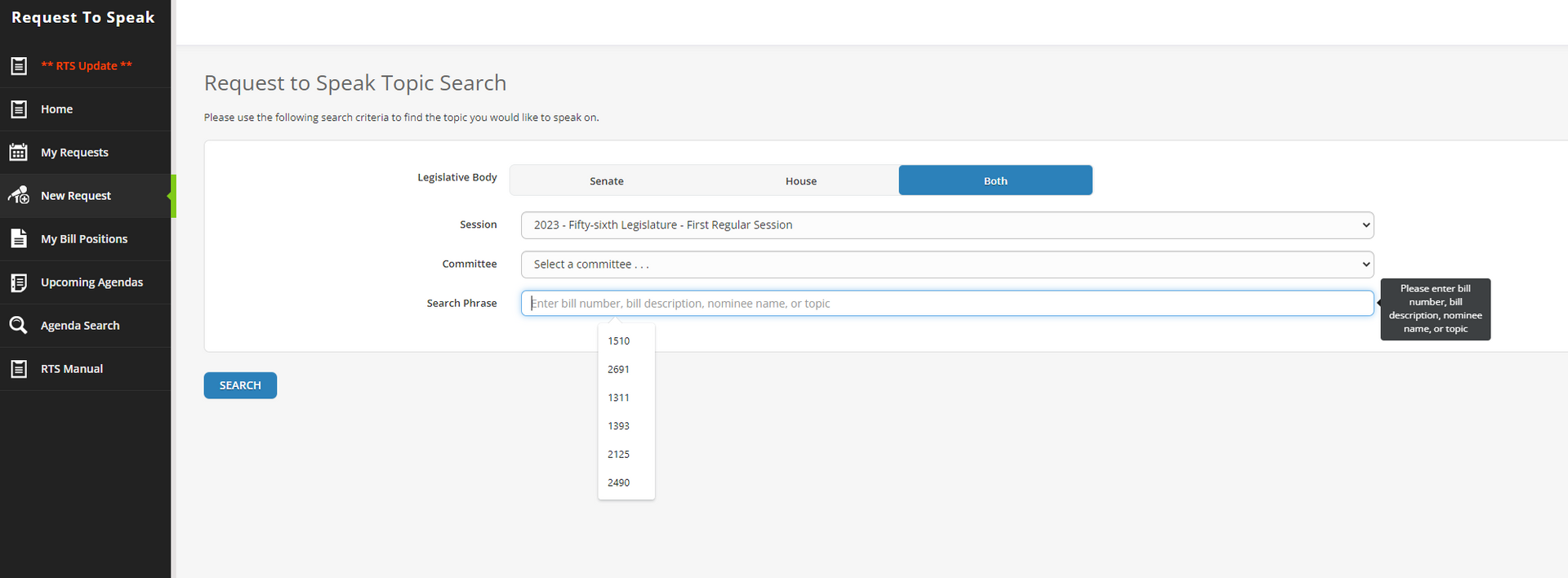
→ Enter the bill number and click "Add Request".
→ Senate Bills must start with a 1; House Bills must start with a 2.
→ If you don't know the bill number, you can search by agendas or keywords.
Step 5: Registering Your Position
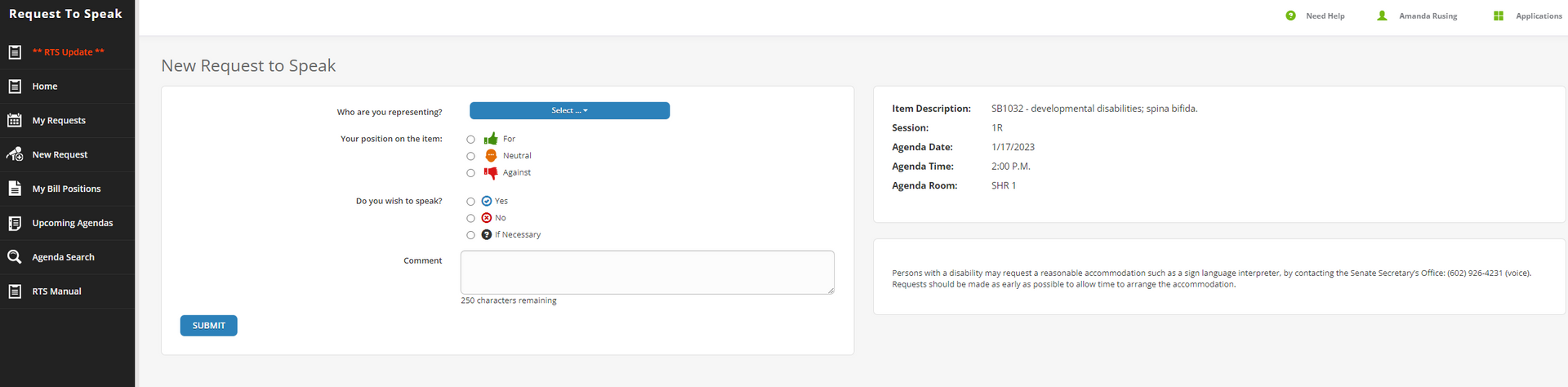
→ Select your position: for, against, or neutral.
→ Only select that you wish to speak if you will be at the legislature in person to testify.
→ Add any comments you'd like to include.
→ Click "Submit" to register your position.
Signaling Your Position for Bills NOT on an Agenda
If you want to signal your position on a bill that is not currently scheduled on an agenda, follow these steps:
Step 1: Logging Into RTS
→ Select your position: for, against, or neutral.
Step 2: Adding Your Bill Positions
→ Click on "My Bill Positions" on the left-hand side menu.
→ Once on the "My Bill Positions" screen, you'll be able to enter any bill currently proposed at the Arizona State Legislature and signal your position on it.
If you have questions or need assistance, please contact ArMA's staff.